Portable memory for AI agents.
Open-source, runs locally, and keeps your agent memory on your machine. Searchable, correctable, cross-tool memory with a real dashboard.
{
  "mcpServers": {
    "lodis": {
      "command": "npx",
      "args": ["-y", "@sunriselabs/lodis"]
    }
  }
}Local MCP over stdio. Setup guide includes Codex, Claude Code, Cursor, Windsurf, and other MCP clients.
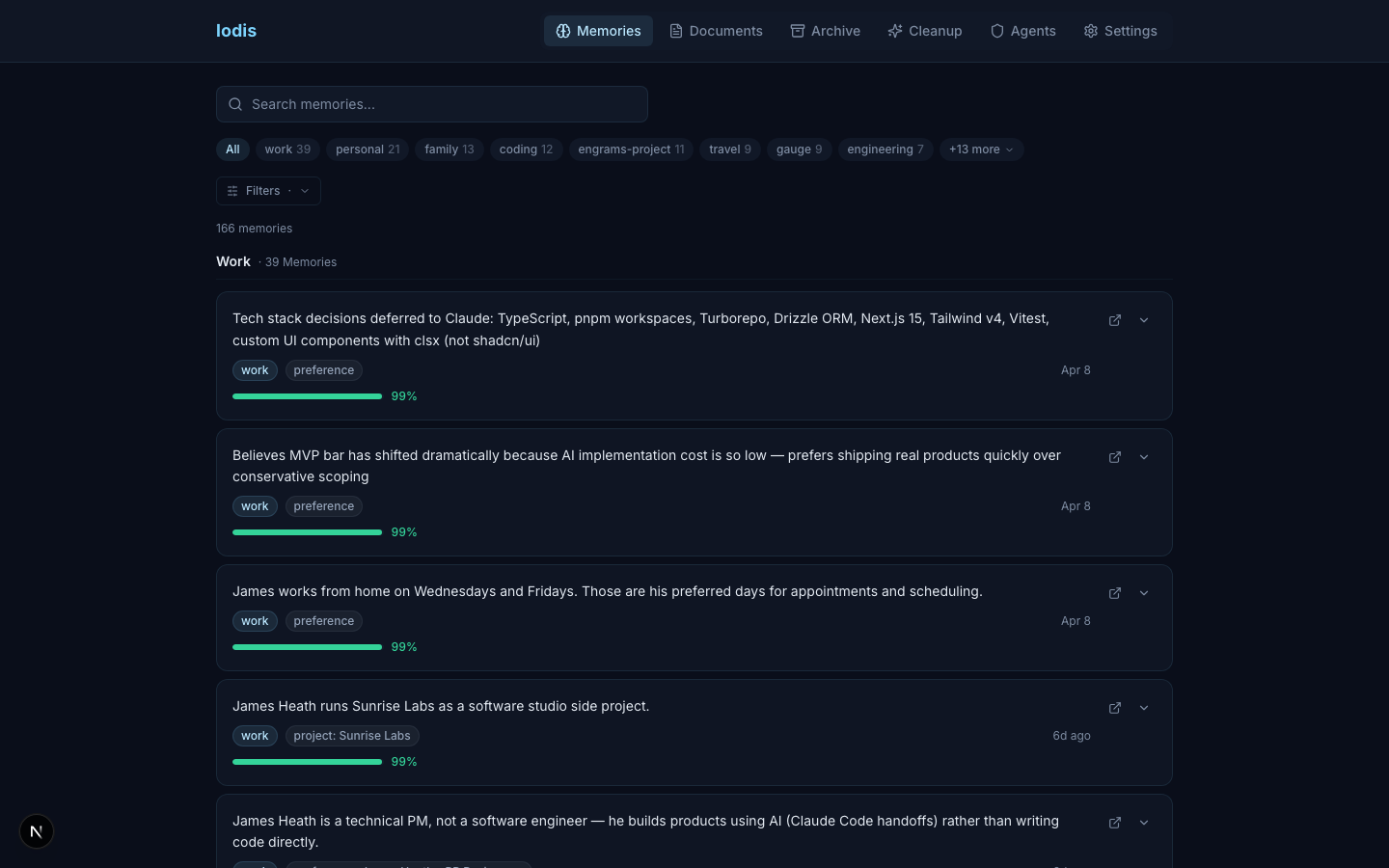
AI memory today is broken.
Today
With Lodis
Today
Your AI builds up knowledge about you over time. You can’t see what it stored.
With Lodis
Browse, search, and edit every memory in a real dashboard.
Today
Teach something in one tool, start over in the next. Context trapped in walled gardens.
With Lodis
One memory layer shared across all your AI tools.
Today
Corrections don’t stick. You can’t trace where it learned something or how sure it was.
With Lodis
Confirm, correct, or flag — with confidence scores and full provenance.
Lodis makes AI memory yours.
Search & Retrieve
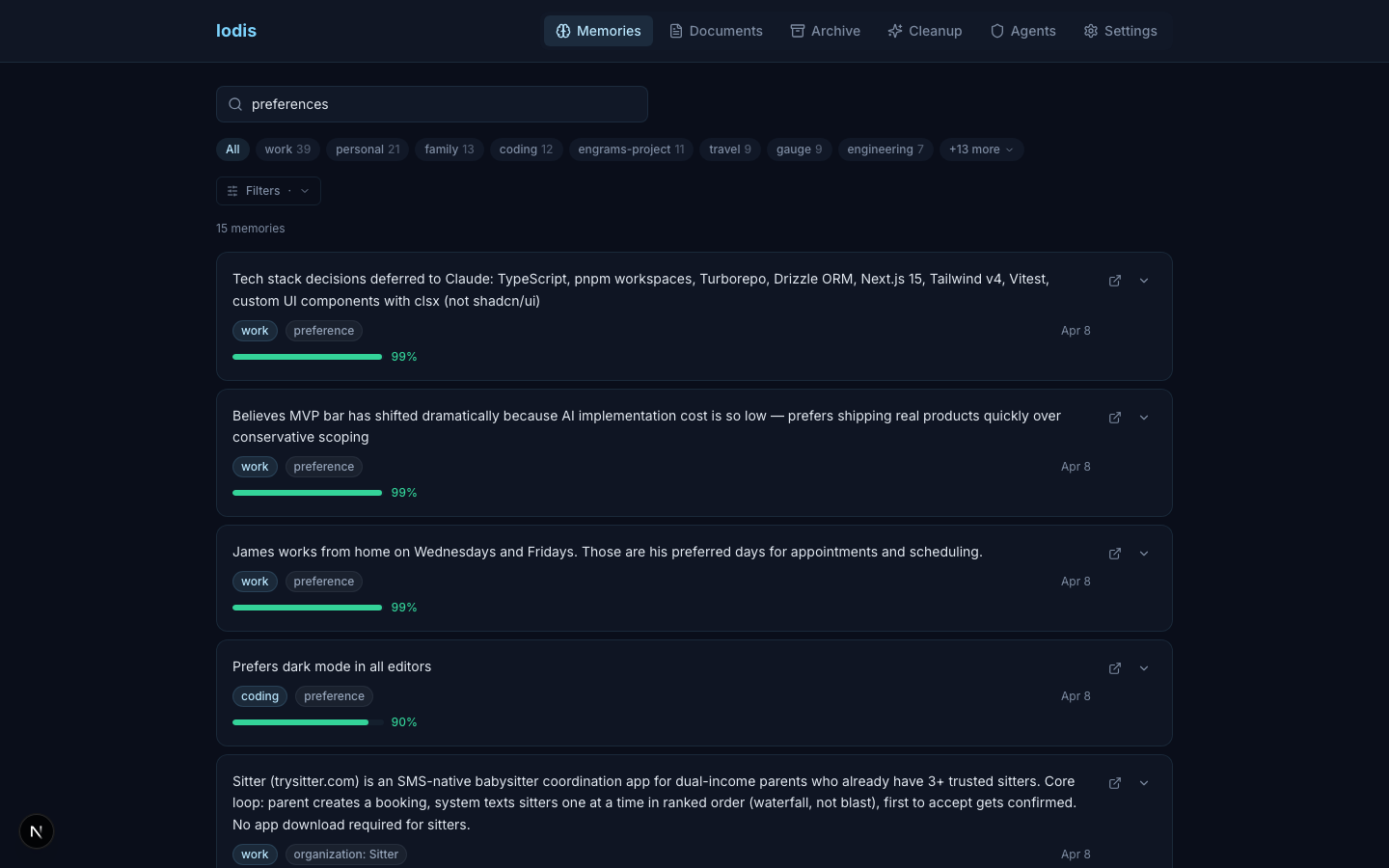
Hybrid search finds the right memory even when the wording differs. Context-packed retrieval delivers token-budget-aware results. Filter by domain, confidence, entity type, or just ask.
Correct & Control
Confirm what's right. Correct what's wrong. Split compound memories. Flag mistakes. Your AI learns from your feedback.
"Prefers TypeScript with strict mode enabled"
Connect & Understand
Memories support 14 entity types. Agents can classify people, projects, preferences, and snippets, while Lodis handles deterministic links, connection proposals, cached entity profiles, and contradiction review workflows.
Sarah Chen
Engineering lead at Acme
Project Atlas
Next-gen search platform
TypeScript strict mode
Always enabled in all projects
39 MCP tools. One install.
Everything your agent needs to remember, learn, and forget.
memory_write
Create a memory with dedup detection and permanence tiers
memory_write({ content: "Sarah prefers morning meetings", domain: "work" })memory_search
Hybrid semantic + keyword search with filters
memory_search({ query: "design decisions", minConfidence: 0.8 })memory_correct
Store corrected or user-asserted information
memory_correct({ id, correction: "It's Thursdays, not Tuesdays" })memory_connect
Create typed relationship between memories
memory_connect({ from, to, relationship: "works_at" })memory_onboard
Guided onboarding: scan tools, interview, seed
memory_onboard({ scan: ["claude", "cursor", "gitconfig"] })memory_export
Export memories as portable JSON
memory_export({ format: "json" }) → lodis-backup.jsonSee all 39 toolsHide full catalog
Core
memory_writeCreate a memory with dedup detection and permanence tiersmemory_searchHybrid semantic + keyword search with filtersmemory_getFetch one or many memories by ID (up to 50)memory_contextToken-budget-aware context retrievalmemory_rate_contextClose the feedback loop on a prior context retrievalmemory_updateStructural edit — content, detail, domain, or entity fieldsmemory_removeSoft-delete with reason trackingmemory_remove_bulkBulk soft-delete scoped by domain, entity name, or IDsmemory_bulk_uploadBatch-insert up to 5,000 memories for external importsTrust
memory_confirmMark a memory as verified and boost its confidencememory_correctStore corrected or user-asserted informationmemory_flag_mistakeDegrade confidence on bad informationmemory_pinPin as canonical — decay-immune, high confidenceGraph
memory_connectCreate typed relationship between memoriesmemory_connect_batchCommit multiple relationship edges in one callmemory_get_connectionsTraverse the knowledge graphmemory_propose_connectionsServer-side candidate selection for the connection loopmemory_splitBreak compound memories into atomic unitsDiscovery
memory_listBrowse by domain, confidence, or recencymemory_list_domainsList all domains with memory countsmemory_list_entitiesShow extracted entities by typememory_classifyList untyped memories for agent-side classificationmemory_briefingCached entity profiles or evidence for synthesisSafety
memory_scrubDetect and redact PII from memory contentmemory_set_permissionsPer-agent read/write access by domainmemory_archiveArchive for reference — deprioritize and freezeProgress
memory_write_snippetWrite a validated progress event (shipped/started/stalled/blocked)memory_query_progressTime-ranged snippet query by domain or goalmemory_progress_summaryRollup: totals by domain, type, and goal for weekly reviewsmemory_register_domainRegister a life domain slug for snippet writesmemory_archive_domainArchive a domain so snippet writes are rejectedOnboarding
memory_onboardGuided onboarding: scan tools, interview, seedmemory_importImport from Claude, ChatGPT, Cursor, gitconfigmemory_interviewAgent-driven cleanup and gap-fillmemory_tutorialInteractive chapter-by-chapter tutorial for how Lodis worksData
memory_exportExport memories as portable JSONmemory_indexIndex external docs for unified searchmemory_index_statusCheck staleness of indexed documentsmemory_migrateLegacy migration helper for existing deploymentsLocal-first. No account required.
Default path
AI client -> stdio MCP -> ~/.lodis/lodis.db
Your agent talks to Lodis locally. Search, embeddings, rerank, and the dashboard run on your machine.
SQLite + FTS5 + native vector search in ~/.lodis/lodis.db.
Embeddings run locally via Transformers.js. No API calls for search.
0600 file permissions. OS-level access control.
JSON export. Your data is always portable.
Local dashboard at localhost:3838 for review, correction, and export.
Four permanence tiers: canonical, active, ephemeral (TTL), and archived.
Run it locally. Keep it portable.
Lodis launches as a local MCP process and stores memory in SQLite on your machine.
Local
Recommended · Open source · MIT License
- SQLite on your machine - zero infrastructure
- Stdio MCP transport - works with any local MCP client
- No accounts or API keys required
- In-process reranker - no external inference service
- Dashboard at localhost:3838
Your data never leaves your machine.
Install localYour data stays in ~/.lodis/lodis.db and exports as portable JSON.
Get started in 30 seconds.
Paste this JSON into most local MCP clients. Codex users can use the command listed below.
{
  "mcpServers": {
    "lodis": {
      "command": "npx",
      "args": ["-y", "@sunriselabs/lodis"]
    }
  }
}- Codex
- codex mcp add lodis -- npx -y @sunriselabs/lodis
- Claude Code
- ~/.claude.json
- Claude Desktop
- ~/Library/Application Support/Claude/claude_desktop_config.json
- Cursor
- ~/.cursor/mcp.json
- Windsurf
- ~/.codeium/windsurf/mcp_config.json